Keras, Theano and TensorFlow on Windows and Linux

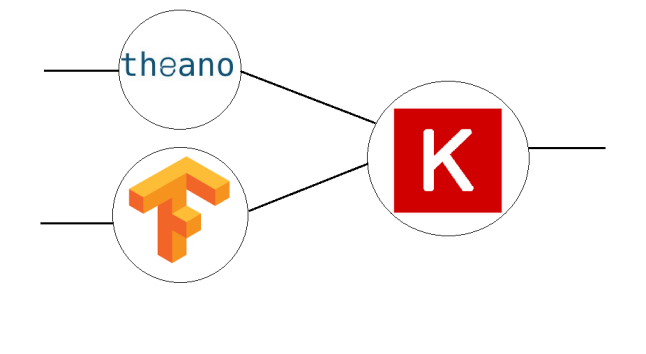
network.png

Tools for Deep Learning development

To start playing with Deep Learning one have to pick a proper tool for it. Python ecosystem tools for Deep Learning such as Keras, Theano and TensorFlow are easy to install and start development. Below follows a guide on how to install them on Windows and Linux operating systems.

What are those Theano, TensorFlow and Keras all about?

A few words about those tools from official websites.

Theano is a Python library that allows you to define, optimize, and evaluate mathematical expressions involving multi-dimensional arrays efficiently.

TensorFlow™ is an open source software library for numerical computation using data flow graphs.

Keras is a high-level neural networks library, written in Python and capable of running on top of either TensorFlow or Theano. It was developed with a focus on enabling fast experimentation. Being able to go from idea to result with the least possible delay is key to doing good research.

Windows Strikes Back or a Big Surprise

A few days ago after upgrading to Ubuntu 16.04 from 15.10 I wanted to run some code example in TensorFlow but I found out that TensorFlow was not working. So I switched to Windows thanks to a dual-boot installation and to my amazement found that Keras -> Theano and Keras -> TensorFlow can be installed and run there very easily with some caveats. So let’s proceed to installation steps.

Prerequisites for Windows 7 or 10

It is possible to install Theano and Keras on Windows with Python 2 installation. However, if you want to be able to work on both Theano and TensorFlow then you need to install Python 3.5. As of now TensorFlow 0.12 is supported on 64 bit Windows with Python 3.5. The steps below aim at providing support for Theano and TensorFlow. 

To summarize the prerequisites for TensorFlow on Windows7/10 are

  1. 64 bit OS

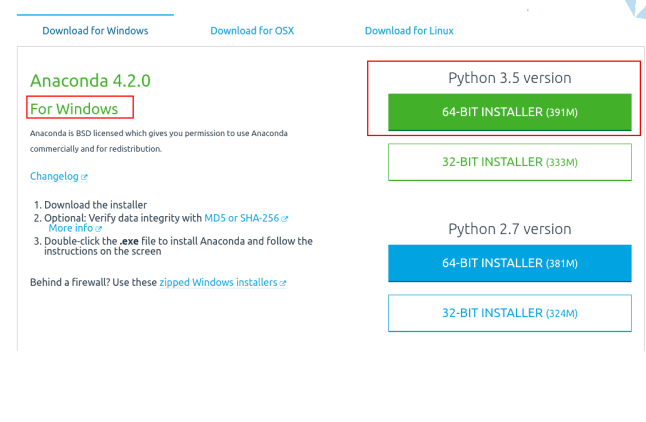
   Note: I’ve found out that starting from Anaconda 3 version 4.3.0 the tutorial for Windows is broken due to the changes they introduced! 

That is why for it to work use the following Anaconda version

     2. Python 3.5 (Anaconda 3) use Anaconda 3 version 4.2.0  that has Python 3.5 and not 3.6

Anaconda Is Very Helpful

Anaconda is an open source packaging tool for Python and other languages. It is very helpful, easy to use and intuitive with detailed tutorials. It will help us install Python and all the dependencies for Keras, Theano and TensorFlow with only a few directives. Anaconda is brought to you by  Continuum Analytics.

So if you have 64 bit Windows PC or a VM do the following steps.

  • After Anaconda was installed open terminal and Install Theano.
  • When you are asked about installing dependencies click ‘y’ for yes.
C:\>conda install theano
  • To enable gcc compiler for Theano install following 
  • When you are asked about installing dependencies click ‘y’ for yes.
C:\>conda install mingw libpython
  • That’s it theano is installed. To check what version is installed
C:\>conda list theano
  • To install TensorFlow and Keras we’ll need to use pip Python packaging manager which is included in Anaconda
C:\>pip install tensorflow
C:\>pip install keras
  • To figure out what is the current backend type
C:\>python -c "from keras import backend; print(backend._BACKEND)"
  • To be able to change what backend Keras will use it is possible to edit keras.json configuration file. It may be found at
C:\Users\relevantUser\.keras\keras.json
  • Change the “backend” string to “theano” or “tensorflow” according to your needs.
{
"image_dim_ordering": "tf",
"epsilon": 1e-07,
"floatx": "float32",
"backend": "theano"
}
  • To test that they work at all let’s run this example in Python interpreter line by line
C:\>python
>>> import theano
>>> from theano import tensor
>>> a = tensor.dscalar()
>>> b = tensor.dscalar()
>>> c = a + b
>>> f = theano.function([a,b],c)
>>> result = f(1.5, 2.5)
>>> print(result)
4.0
>>>
  • To see that Keras is really functioning you may run a code for multi layer perception at GitHub.

Same Process on Linux (Ubuntu)

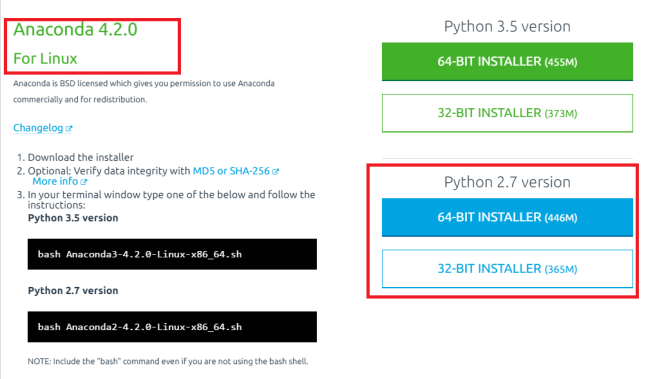
Installation of Keras, Thano and TensorFlow on Linux is almost the same as on Windows. Actually it is even easier since TensorFlow is working nice with Python 2 on Ubuntu. That is why below I’ll provide installation steps for 64 bit  Ubunut 16.04 and Python 2.

anaconda_linux.png

  • After Anaconda was installed open terminal and Install Theano.
$ conda install theano
  • That’s it theano is installed. To check what version is installed
$ conda list theano
  • To install TensorFlow and Keras run this commands
  • If you are asked about installing dependencies click ‘y’ for yes.
$ conda install tensorflow
$ conda install keras
  • To figure out what is the current backend type
$ python -c "from keras import backend; print(backend._BACKEND)"
  • To be able to change what backend Keras will use it is possible to edit keras.json configuration file. It may be found at
$ ~/.keras/keras.json
  • Change the “backend” string to “theano” or “tensorflow” according to your needs.
{
"image_dim_ordering": "tf",
"epsilon": 1e-07,
"floatx": "float32",
"backend": "theano"
}
  • To test that they work at all let’s run this example in Python interpreter line by line
$ python
>>> import theano
>>> from theano import tensor
>>> a = tensor.dscalar()
>>> b = tensor.dscalar()
>>> c = a + b
>>> f = theano.function([a,b],c)
>>> result = f(1.5, 2.5)
>>> print(result)
4.0
>>>
  • To see that Keras is really functioning you may run a code for multi layer perception at GitHub.

Official References

What’s next?

Deep Learning.

 Java Code Geeks

Systematic Approach To Applications Of Deep Learning

Hidden potential

The interest in Deep Learning research and applications is as hot as never before. A countless number of new research papers can be found at arXiv.org almost every day. Those papers provide us with descriptions of novel ways Artificial Neural Networks can be applied to various fields of our daily life. What is fascinating in Deep Learning is the fact that neural networks seem like universally capable to be applied to various kinds of problems that previously were tackled with a tailored approach. Moreover, each day there is an article or blog post that tells us about even more exotic ways of applying Deep Learning. The problem with those articles, blog posts and even books is that they do not provide systematic treatment of neural networks applications. At least, so far I haven’t seen this was done and if you know about such attempts please let me know.

Sate-of-the-art

While searching for materials for this post I’ve found a number of articles that summarize Deep Learning applications. Here comes a number of quotes from those articles with related links.

1. The first post called 8 Inspirational Applications of Deep Learning by Jason Brownlee is from Machine Learning  Mastery blog.

Here’s the list:

  1. Colorization of Black and White Images.
  2. Adding Sounds To Silent Movies.
  3. Automatic Machine Translation.
  4. Object Classification in Photographs.
  5. Automatic Handwriting Generation.
  6. Character Text Generation.
  7. Image Caption Generation.
  8. Automatic Game Playing.

As it can be seen these applications can be concisely described by the sensory modalities Artificial Intelligence research was initially applied to which are Audio, Visual and Spatial modalities. 

2. This one is called Deep Learning Use Cases and is taken from a site dedicated to Deeplearning4j machine learning library for Java.

3. Next one is called Deep Learning Applications in Science and Engineering by John Murphy. This article describes similar applications of Deep Learning as previous ones but also provides more exotic applications, such as Scientific Experiment Design, High Energy Physics and Drug Discovery.

4. In addition I want to mention The Next Wave of Deep Learning Applications post which
 is full of most exotic applications that maybe you haven’t heard about them before. To name a few there are Weather Forecasting and Event Detection, Neural Networks for Brain Cancer Detection applications.

5. The last one is a question about Deep Learning applications in Quora that  has a number of helpful answers.

Prediction example

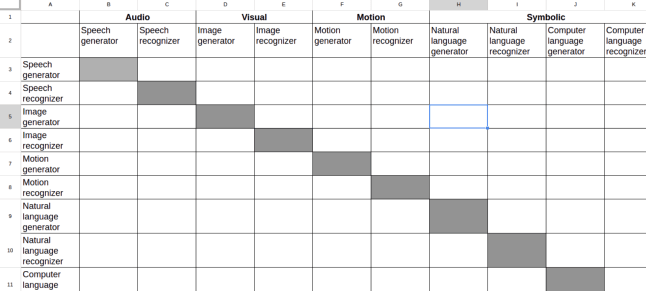
If we look at row 4 and column B will find there ‘Speech recognizer -> Speech generator’ pair from Audio modality which can be interpreted as language to language translation application, such as Google translate. Moreover, if we choose row 6 and column D will find there ‘Image recognizer -> Image generator’ which is exactly the idea behind the Deep Convolutional Inverse Graphics Network paper at arXiv.org.

 It can be seen that this matrix has following number of possible pairs  = 12 * (12 – 1) = 132.  In general case pairs = N*(N – 1).

If we want to think about a novel application it is possible systematically go over the matrix and look for it or pick a random pair, such as row 4 and column H which is ‘Image recognizer -> Natural language generator’. It may be  an application that lip reads a person talking in front of a mobile phone camera and generating text to be sent to another application. This application is useful when there is a noisy environment on the background (idea comes from here).

Notice that this matrix is composed for the sake of an example and it may be organized in other ways that may produce another combinations for possible applications of Deep Learning. Moreover this matrix may be multi-dimensional to take into account tuples of various parameters.

Morphological Matrix

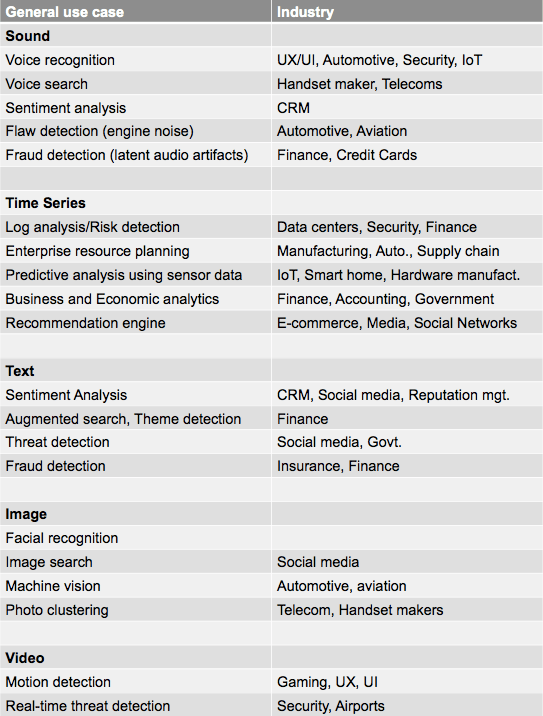
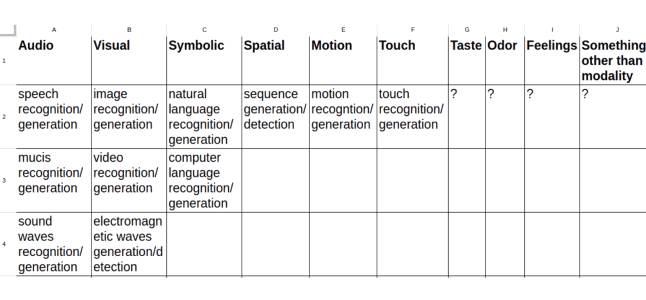
Additional way to try to predict applications of Deep Learning is to use morphological matrix method developed by Fritz Zwicky, Swiss-national astrophysicist based at the California Institute of Technology. By the way, this method has been successfully used to predict the existence of neutron stars. The good explanation of what is morphological matrix and its applications may be found at Swedish Morphological Society. For our purposes it is sufficient to know that this matrix can be composed in such a way that the first row has various sensory modalities such as audio, visual, touch etc. and the rest of the rows provides possible options for those modalities. The screenshot will help to clarify this.

As it was shown in this post it is possible and effective to systematically look for Deep Learning applications in particular and Machine Learning in general by means of Combinations and Morphological matrices.

Java Code Geeks

Why I like CNN

cnn.png

CNN Is Everywhere

I like CNN because it’s a modern marvel. It is almost everywhere. You can see it on mobile or any other device. It brings you a lot of excitement. Recently it amazes lots of people around the world. An interest in CNN was never as hot as today.

CNN is always up to date and brings you unexpected topics almost everyday. You cannot help but hear about it again and again from every corner. CNN is like madness don’t you think? On the other hand it sheds light on our inner workings maybe even feelings.

In short you cannot ignore CNN simply because CNN is Convolution Neural Networks.

More details on CNN can be found 

What Is It Good For?

Check out this incredible usage of DNN, CNN, LSTM and other topologies in this article on Lip Reading Sentences in the Wild

Banana Classifier with OpenCV on Android

whatsapp-image-2016-11-16-at-13-10-02

Update: BananaRecognition source code at GitHub

Make Banana Recognition Great Again

This post is about going from an idea to its implementation. The idea was to create an application for mobile phone that can detects cars. Now let’s see how it started and where I stand today. I’ll provide a brief description of the steps taken to this very day.

Step 1. Google is Your Friend or Search and You’ll Find It

The journey to banana Haar Feature-based Cascade Classifier started from searching for videos, articles and blogs on how to make object detection and tracking with a mobile phone. In particular Android platform was of interest to me since I participated in development of a few android applications beforehand. Below follow various kinds of resources that were found and how they provided me with a direction for further search.  

Going in a wrong direction

First search results were actually disappointing. There were a bunch of recognition APIs and recognition products for static object recognition  and classification of video for captions generation. To name a few

Those are good for static images but I was looking for something else i.e. dynamic treatment.

YouTube provides hope for feasibility

Looking for a possible implementation for my idea I started to search  further with a little help from Google and found a number of items on youtube and in blogs that were encouraging.

Advanced object detection take one

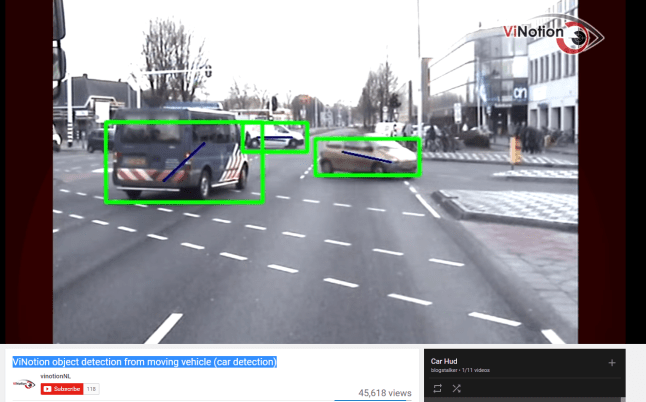
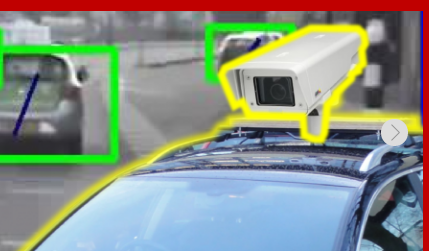
The video below appeared to be exactly what I imagined in my mind. It is ViNotion object detection from moving vehicle (car detection)

But as I found very fast this company from Netherlands used very capable HW and proprietary SW to accomplish this feat.

So I needed to find something else.

Advanced object detection take two

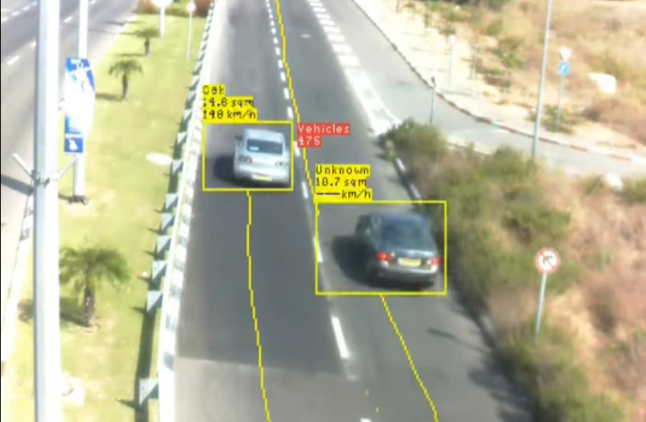
Next thing I found was this system that was able not only to recognise moving cars but also was able to classify them and provide their speed.

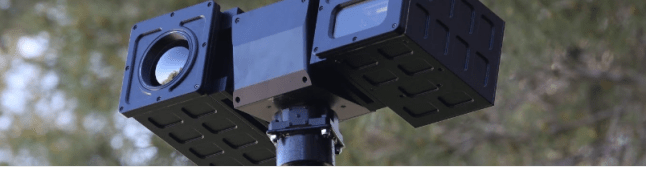
Once again it turned out to be this monstrous HW thing with thermal sensor, laser range finder you name it.

The power of academic research

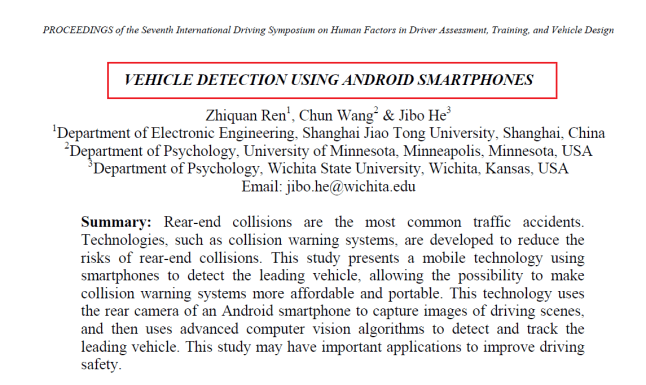
The search continued and bingo! This was it. What I’ve found was an article with exactly what I wanted. Android phone detecting and tracking cars on the road.

In short they used Android phone powered by Haar-like Feature Detector with additional filters and were able to detect and track cars from the back. But the key elements I learned from this article were

  • It is possible and was done with mobile phone
  • Haar-like Feature Detector with AdaBoost algorithm is a candidate for usage

Step 2. OpenCV and Roman Hošek to the Rescue

It was only a small step to type in Google Search OpenCV on Android to find about the power of Open Source Computer Vision library known as OpenCV to get even closer to my goal. Looking into OpenCV tutorials I understood that it would take me much more time than I wanted to invest to understand how to set it up on Android and how to start development fast. So I continued searching and found a detailed two parts blog post of Roman Hošek describing exactly how to implement Android application for face recognition using OpenCV library.

Not only he described how to implement this application he also provided a link to his GitHub repository  with a working Android application that easily may be imported and build and run in Android Studio.

Step 3. Download. Build. Find Banana Model

I played with Roman’s application and was able to understand exactly what I needed to do to swap face classifier model to another model. Be it bananas or whatever. Bananas are more easy to classify for the newbies. Looking for bananas classifiers was also not so hard. Moreover there are a bunch of blogs in the wild providing a wealth of information on how to scientifically classify bananas and other fruits with Node.js. 

Train your own Cascade Classifier 

As I found Cascade classifier algorithm is pretty universal in the sense that it can recognise not only faces but other objects as you wish. But it means there is a need for custom training.

It happened that Thorsten Ball provided a GitHub repository that described how to train a custom classifier on… bananas. What was so special about this repository was the file banana_classifier.xml which was the last element in solving the puzzle of bananas, sorry car’s recognition.

Know How To Place A Right File Into A Right Place

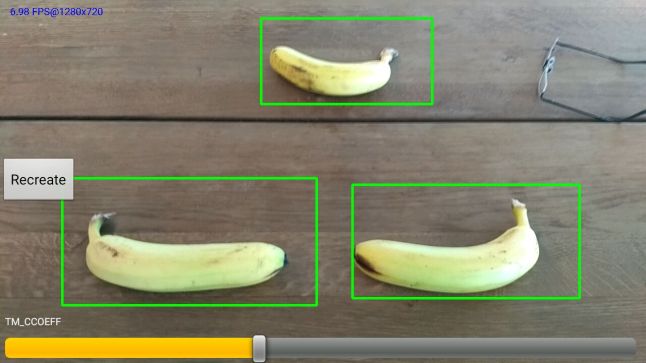
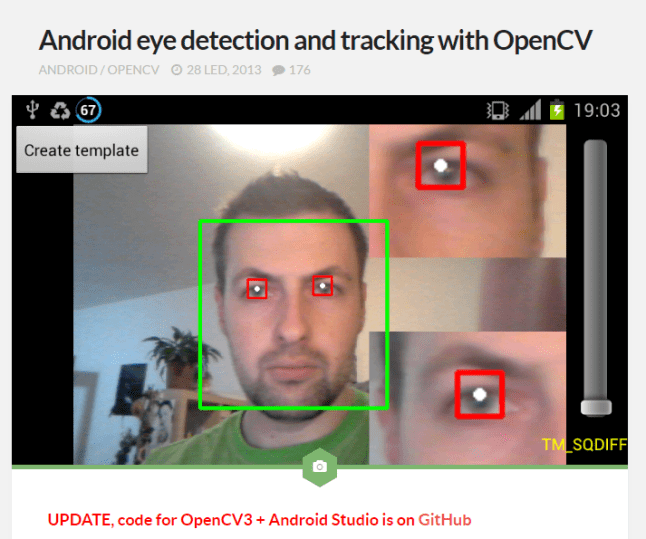
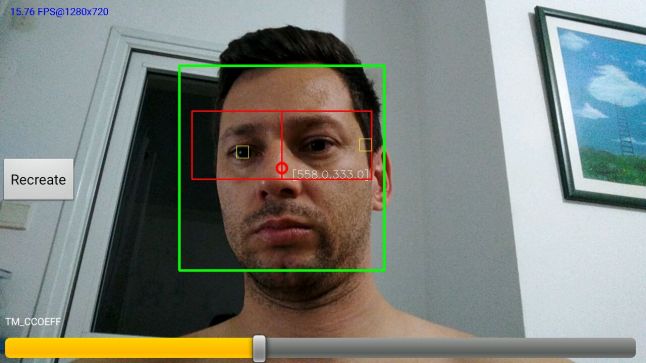
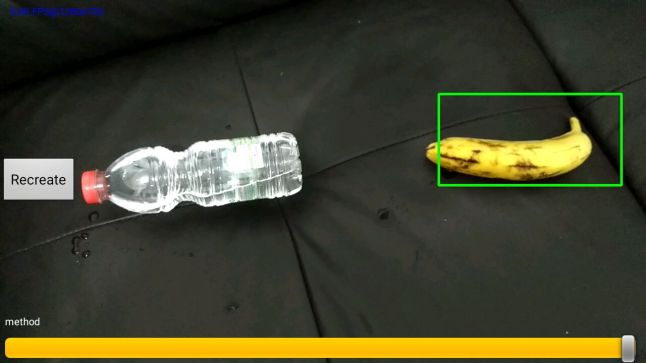
Having Roman’s app for face recognition and a model for banana recognition in my hands I was able to tweak the Roman’s app to bananas recognition. The comparison of before/ after functionality is provided below.

App with face recognition model

WhatsApp Image 2016-11-12 at 17.40.47.jpeg

App with banana recognition model

WhatsApp Image 2016-11-14 at 22.18.41.jpeg

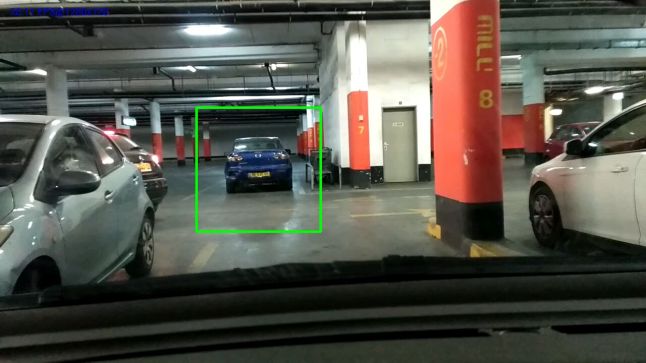
Step 4. Find a car model or train one yourself. Get rid of bananas

Next step is to train or find a car model and voila the idea is 100% implemented as envisioned.

WhatsApp Image 2016-11-19 at 18.51.05.jpeg

Java Code Geeks

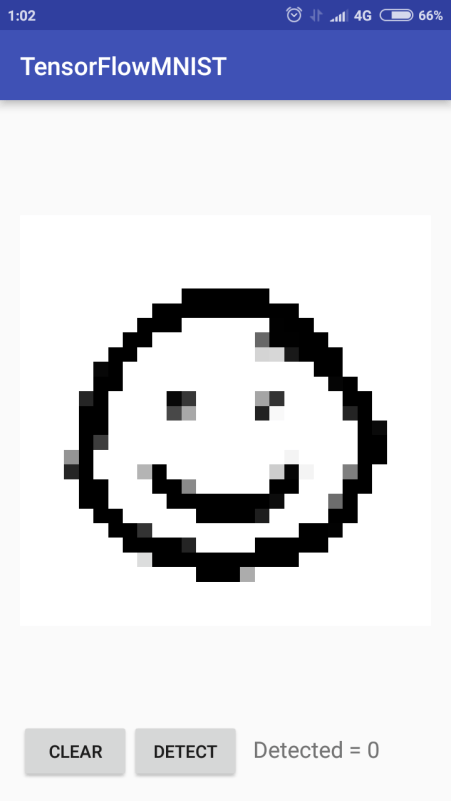
Guess a Digit Game On Android With TensorFlow

Screenshot_2016-11-12-01-02-06_jp.narr.tensorflowmnist.png

Why Machine Learning?

About a week ago I’ve discovered an overwhelming topic of machine learning and since then there’s no stopping for me. This is a wast field that combines mathematics, programming, artificial intelligence, physics you name it. I have to say this is the thing I’ve been looking for so long time. It  has just a right combination of ingredients I’ve described above making it a very attractive, dynamic and interesting field of study and application.

An Idea For A Game

Recently I’ve been involved with applications development for Android and I thought that combining machine learning with Android is a good idea to try. That is why I want to use a basic application developed by César Delgado Fernández that makes use of TensorFlow library on Android and turn it into engaging game for children. Currently César Delgado Fernández app can recognize digits from 0 to 9. Surely, it can be extended to be capable of other things. If you are eager to see it in action you may download and import it into Android Studio then build. It worked fine for me. If you have any difficulty let me know. So stay tuned for a brand new game from neaapps in following weeks.

Mobile Classifier Application Demo From Google

Discover more about Mobile TensorFlow here. By the way if you want to play with TensorFlow on Android you may try to follow the guide provided here. This application use mobile phone camera to classify objects and then provides captions with probabilities for recognized objects.

Hot Updates In Machine Learning

E-learning for Free

E-Books for Free

  • Deep Learning  is a book by Ian Goodfellow and Yoshua Bengio and Aaron Courville
    the people who are foremost experts in the field of machine learning.

What’s next?

Next post will be about setting and using SciPy stack on Windows and much more.

Machine Learning For All

The Rise of the Machines

In recent decade we are witnessing the resurrection of interest in neural networks due to advances in computing hardware such as GPU accelerators and availability of large data sets such as Facebook, YouTube etc. for training those networks. As a result there are a great number of research articles and practical applications emerged in the filed of artificial intelligence that found fruitful usage at Google, Facebook, Amazon etc.

Meet TensorFlow Library

As a forerunner in the filed of applied machine learning Google has developed and open sourced TensorFlow software machine learning library that is accessible for all to tackle the problems in computer vision, natural speech processing and more. If you find this information interesting then following steps will help you to start playing with this library. The library is written in C++ with APIs available in C++ and Python. Actually most  education resources that are available online for TensorFlow use Python.

Installation Is Fast

Tensor Flow is developed with Linux and OS X in mind and struggles on Windows. That is why the steps below taken from official manual were run on Ubuntu 15.10.

  • Open terminal in Ubuntu/ Linux 64 bit and install pip package management system for Python
$ sudo apt-get install python-pip python-dev
  • Since I had no GPU on my  64 bit machine I chose this binary
# Ubuntu/Linux 64-bit, CPU only, Python 2.7
$ export TF_BINARY_URL=https://storage.googleapis.com/tensorflow/linux/cpu/tensorflow-0.11.0rc2-cp27-none-linux_x86_64.whl
  • Now let’s install TensorFlow library. Be prepared it will take a while
# Python 2
$ sudo pip install --upgrade $TF_BINARY_URL
  • If installation went flawlessly which it was in my case it is possible to test it typing
$ python
  • When you’ll see ‘>>>’ it means Python interpreter is running and you can play with it
>>> import tensorflow as tf
>>> hello = tf.constant('Hello, TensorFlow! I've made it so far.')
>>> sess = tf.Session()
>>> print(sess.run(hello))
Hello, TensorFlow! I've made it so far.
>>> a = tf.constant(10)
>>> b = tf.constant(32)
>>> print(sess.run(a + b))
42

Hot update: TensorFlow 0.12 available on Windows 7/10

Today we announced native Windows support in TensorFlow 0.12, with packages for Python 3.5. If you have installed the 64-bit version of Python 3.5 (either from Python.org or Anaconda), you can install TensorFlow with a single command:

C:\> pip install tensorflow

How to Use It?

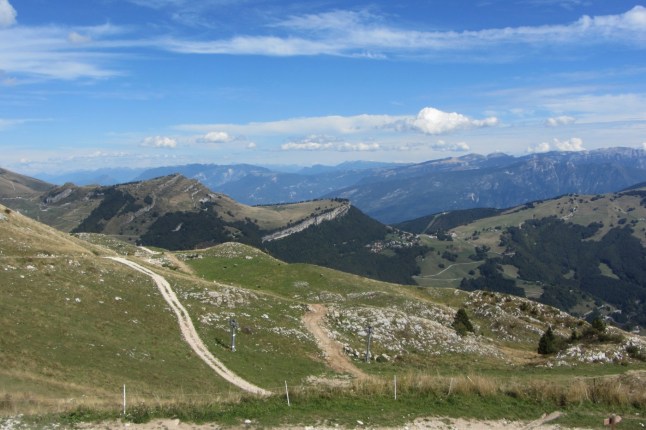
If you want to get a feeling of what TensorFlow is capable of first hand then try to follow the Image Recognition official tutorial or do the steps below to recognize your most favorite image (do not try it with this one). TensorFlow Inception v-3 model will try to recognize the image provided by you and emit the caption for the image from the highest to lowest probability. For example, if you provide an image of Italian Alps then the result will be something along these lines.  

background

alp (score = 0.73395)
valley, vale (score = 0.18973)
cliff, drop, drop-off (score = 0.00309)
promontory, headland, head, foreland (score = 0.00171)
lakeside, lakeshore (score = 0.00154)

Try It yourself

  • The models and examples generally installed at this path
/usr/local/lib/python2.7/dist-packages/tensorflow
/usr/local/lib/python2.7/site-packages/tensorflow
  •  To figure out the exact location use this directive for python 2.7 (change ‘python’ to ‘python3’ for Python 3)
$ python -c 'import os; import inspect; import tensorflow; print(os.path.dirname(inspect.getfile(tensorflow)))'
  •  For Image Recognition you need to run classify_image.py script which can be found at this path
/usr/local/lib/python2.7/dist-packages/tensorflow/models/image/imagenet
  • Place the image in JPEG format you want to be recognized anywhere you like. In my case it was at this destination
/home/me/Pictures/image.jpg
  • Then run Inception v-3 model on that image this way. Pay attention that ‘– -image_file’ argument is there to indicate the path to the image
$ python /usr/local/lib/python2.7/dist-packages/tensorflow/models/image/imagenet/classify_image.py --image_file /home/me/Pictures/image.jpg

Teach Yourself Machine Learning In Ten Years

So you like what you did with TensorFlow and you want to learn the subject in more depth. Congratulations, since there are more resources than you can digest in your lifetime. What I personally found useful for me so far are.

1. Start with the TensorFlow site itself where you can find tutorials, guides and APIs description.

2. If you need a more thorough introduction to Machine Learning try to get helped by Udacity free courses on the subject

3. If you are like me and likes books and rigorous theoretical background then this book by Michael Nielsen is just for you.

4. Machine Learning Mastery site by Jason Brownlee is definitely a place to visit

5. If you are an expert in the filed of Machine Learning then maybe you’ll find this peculiar blog by Chris Olah from Google Brain Team useful.

More Posts Are Expected 

Stay in touch.

Java Code Geeks

Get Ready For Machine Learning

Welcome To The Machine

In the upcoming weeks I’ll plan to post materials about Machine Learning be it deep or shallow etc.

A Few Bits Here And There

  • Just to warm your interest start by skimming over this insightful blog by Chris Olah a member at Google Brain Team.
  • Then take a look at TensorFlow open source machine learning library developed in Google
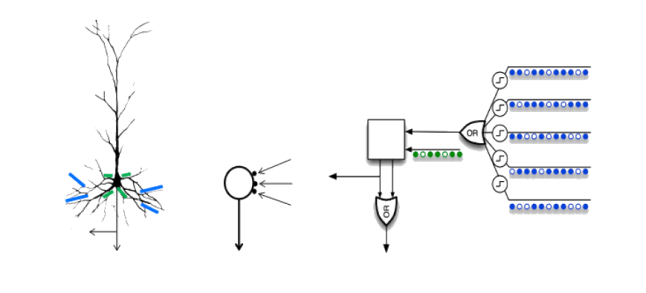
  • Do not forget to check a very different and yet somewhat similar to Neural Networks  Numenta’s Hierarchical Temporal Memory (HTM) model
  • Those of you who want to know more about Numenta 

More Stuff is Coming

So stay tuned.

My Zoo has been just published

jungle12.png

Update to the latest version 1.3 at Google Play

What’s this all about?

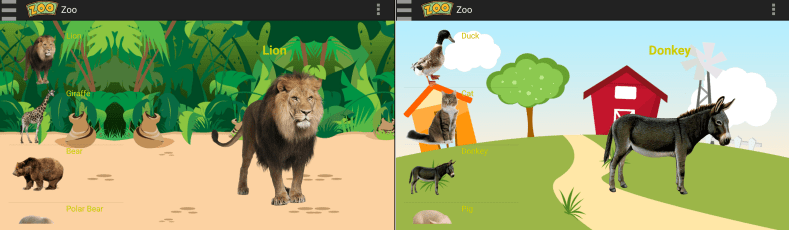
My Zoo application will help your kids to learn about various animals, their names and sounds and it is out there at Google Play. This game was brought to you by raising star application company neaapps

Features

  • Animals names are in English, Russian and Hebrew
  • Dozens of jungle and domestic animals with their sounds
  • Interactive animation that will captivate your kids
  • Supported on tablets
  • No ads
  • Addctive and fun

What’s new in this version

To make navigation super fast and easy for kids two buttons were added to farm and jungle screens.

To jump to farm animals from jungle tap on the sheep’s icon

to_farm.png

To jump to jungle animals from farm animals tap on the parrot’s icon

to_jungle.png

Take a ride

Do try this at home or anywhere at all. Beware that the sounds may cause people around you to start smiling and laughing.

Your kids gonna love this game

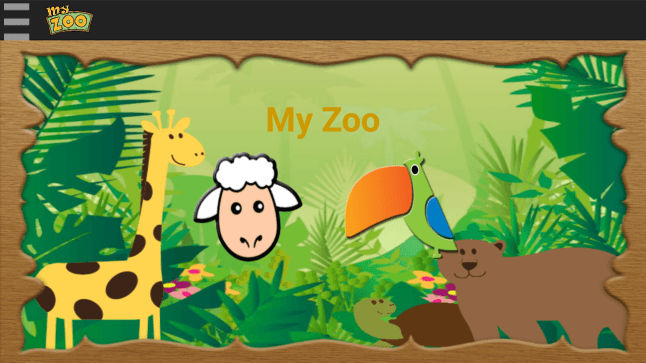
screenshot_2016-10-14-22-41-47_com-neaapps-myzoogame-myzoogame

For Kids

There are plenty of games at Google Play that are related to animals but if you want something special for your kids then prepare for the upcoming neaapps MyZoo game.

Features

Though it may resemble similar games on the subject it brings nice graphics and an easy to use interface.

The game has two categories of animals images with their respective sounds. Those are wild and domestic animals.

duo.png

In addition, the application is customized for English, Russian and Hebrew. Animals sounds are international though.

How can I get it?

My Zoo at Google Play.

What’s next?

And then comes Nine

Sudoku Breeze has been published

publishBig2.png


Update to latest version 1.6 at Google Play

Intro

A fresh breeze of Sudoku is coming your way. Sudoku Breeze application for Android brings a fresh look at sudoku games. Light and refreshing user interface is just like a breeze at the seashore. It’s a nice and relaxing companion for your leisure time. It is brought to you by neaapps the creator of the Fast Currency Converter and 100% sMArTHapps.

With a great pleasure we want to inform you that Sudoku Breeze has been just published at Google Play. 

So hurry up and take a look at its beautiful design and functionality.

What’s new in 1.6?

  • Sounds added to Win/ Lose dialogs
  • Sounds settings preserved after app restart
  • Notification about current sound state added to Menu screen

Features

  • It’s free
  • Nice animation and pleasant user interface
  • Engaging sounds
  • Three levels of difficulty 
  • Share your scores with your friends

What’s next?

  • This post will be expanded to have a user manual for a game in case of any need
  • Bugs found by you will be fixed according to priority and severity since we are already working on a next game. It will be a game for little children and the draft name is MyZoo. So stay tuned.


Screenshot_2016-08-17-21-29-54.png