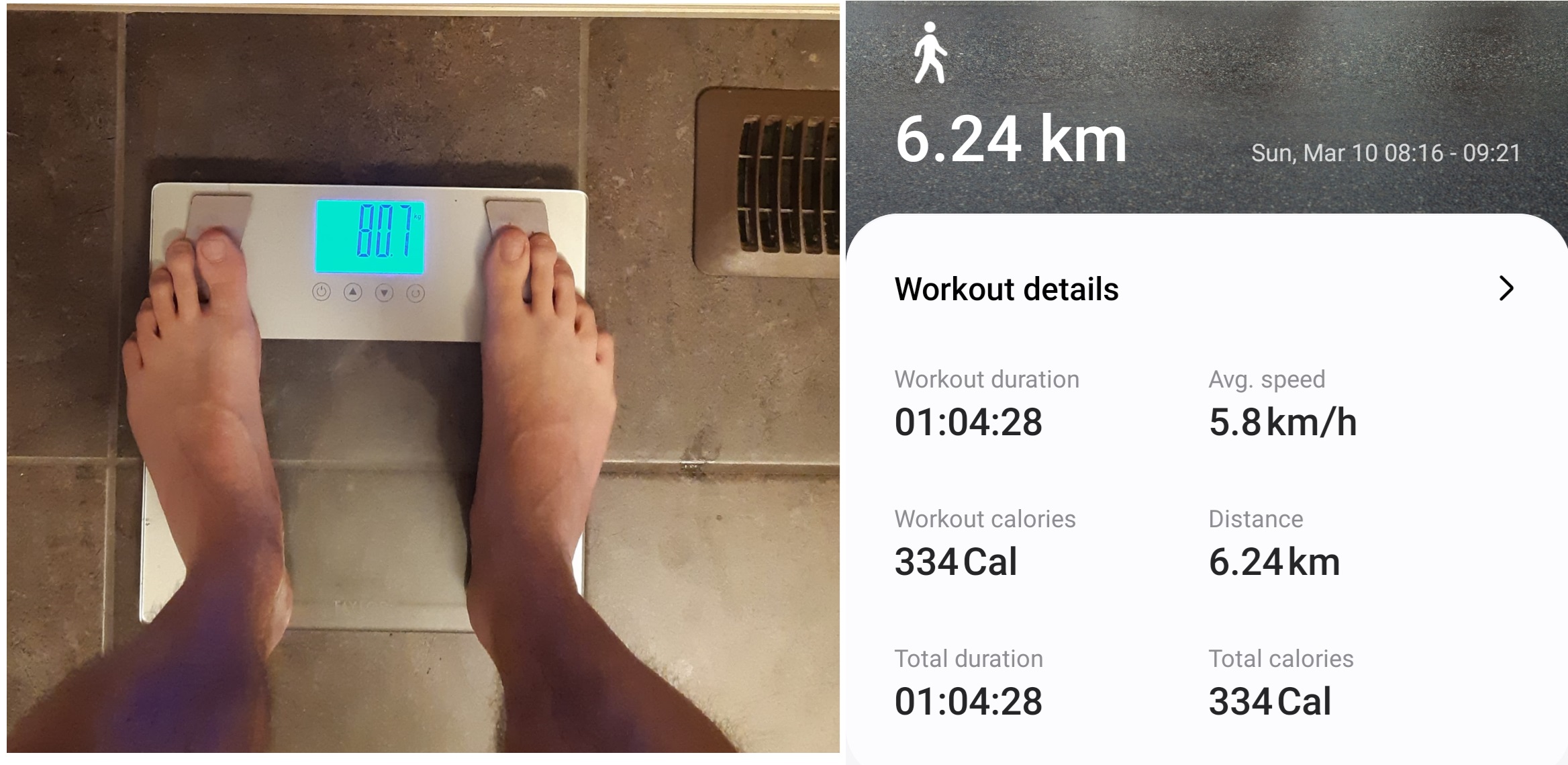
Today in the morning on approximately 10th hour of the fast my weight was 81.5 kg (179.7 lb).
After walking 6.24 km (3.87 mi) at 0 degrees Celsius temperature outside in a fasted state my weight went down to 80.7 kg (177.9 lb). It’s a delta of 0.8 kg (1.76 lb) within 1:10 hour, which is impressive to say the least!
Limitations of my experiment:
Some of the weight loss is due to poop just before walking
Some of the weight loss is due to perspiration (sweat).
But, there was for sure loss of glycogen and fat!
So there you have it.
Walking is free, affordable and easy to do, unless you have severe hip or knee joint issues. In the case of joint issues you may resort to spinning and swimming, which requires equipment or a pool.
Well, extended or prolonged fasting which is fasting for more than 24 hours is not your lovely 16/8. It’s more challenging and I should say it’s another level of fasting altogether.
First, it requires more dedication since unlike short fasts you still need to live in an environment where people continue to eat and you have to deal with food preparation for them and feel all the smells and looks of the food.
So if you can, do extended fasting when there is no one around, so not to be distracted.
Second, prolonged fasts are less comfortable than 16/8. After about 24 hours into a fast you start feeling a feeling of emptiness in the stomach that is a little bit annoying, but bearable. And at 8:00 PM as it also happens during regular fast you’ll feel hungry due to high levels of ghrelin hormone.
The good news is that in the morning of the second day of fasting if you do 42 hours for example, you don’t want to eat at all. Which is the same thing I feel during short fasts too.
Third, when you do prolonged fast you may feel coldness and low energy even though after about 24-36 hours (depending on the amount of glycogen in the liver) body should switch to using fat as main source of energy. Also, you may feel like going to sleep very early. Which is the case for me today, as usual when doing 42 hours fast.
Benefits of extended fasting
But, don’t forget that this is not in vain:
During prolonged fasts you lose fat really fast.
You have more time since you do not need to buy, cook or prepare food, unless you have kids. Then it sucks.
You have an opportunity to look at your usual life from outside and see how our life is food-centric most of the time.
Autophagy is in full swing only during prolonged fasts starting after 24 hours into fasting. I am not sure that 16/8 turns on autophagy at all (I’ll check this point in scientific papers later).
So there you have it
Extended fasting is challenging, but it comes with some benefits. If you don’t do it too frequently it can be even fun, when you do it with a partner, and kids are sent to spend time with grandpas and grandmas. And you use free time for walking, reading and sleeping.
When you understand this simple thing then you can do three things below:
You can change what you eat to lessen or completely remove sugary and starchy foods and drinks from food you eat. This approach is also known as Insulin lowering diet (aka low-carb and Ketogenic diets)
Or you can go on an Intermittent Fasting lane and strive to do 16 hours long fast and 8 hours long eating window. It’s flexible and you can start from 12 hours fast, which means skipping your breakfast. It’s simple as that.
Or you can combine both of the above approaches.
3. Then if you feel like it you can start walking. As soon as you start losing weight (at first water) after stopping eating ultra processed food and sugar, you may find yourself more energetic and walking is a good thing to engage in.
4. At last, if you want to you can start doing resistance training using your own body (push-ups), resistance bands or dumbbells (these can be expensive to buy new, but you can find used ones at FB marketplace for example).
To summarize
For most of the people, it possible to lose weight without using drugs, surgeries and going to the gym by understanding that excessive amount of Insulin hormone is what is driving weight gain.
When you stop eating sugary and starchy foods, drinking sugary drinks all of which is called Ultra Processed food there is nothing that can prevent you from being healthier.
You can do it!
References:
The people that theirs advice I listen very carefully are:
Benjamin Bikman, PhD – “Why We Get Sick”
Jason Fung, MD – “The Obesity Code”
Gary Taubes, investigative journalist – “Why We Get Fat”
Mark Mattson, PhD – “Intermittent Fasting Revolution”
I’ve long being intrigued by meditation, but I never tried it myself. I’ve heard it was useful to calm you down. It was said it provided some health benefits etc. What caused me at last to change my mind about it was the talk that Lex Fridman had with the historian Yuval Noah Harari in which Yuval mentioned that he meditated for two hours a day and had a one month long meditation retreat once a year.
One additional motivating factor for me was that I, as I think most of the people on Earth, can’t get no satisfaction as The Rolling Stones famously sang. And indeed it’s the case, if you think carefully about it. In this information age we are bombarded with lots of things that cause us to want to buy that thing or the other. Subscribe to that service, like Netflix or the other etc. It seems like a never ending story of addiction that gets worse from day to day. Then, what can be a way out of it you may ask? Well, one of them, apparently, is meditation.
It turns out that thinking about meditation as a tool to relax and get calm is not exactly what meditation is meant for. Though, it definitely can make you calm it’s a by product of meditation, but not the main purpose of doing it.
Since Yuval mentioned meditation in that talk I googled the best books on meditation and got a list of a number of books. Among them were two books in particular that resonated with me.
The first one was 10% Happier book by former ABC News journalist Dan Harris in which he described his path to meditation and how it played out for him. I bought a used copy of that book and found it interesting and useful.
The second book in that search list was the How To Meditate book by Pema Chodron a Tibetan Buddhist nun who is a teacher at Gampo Abbey in Nova Scotia, Canada. That book was unlike the 10% Happier and it had much more profound impact on me in comparison to Dan Harris’ book. If you’ll read it and it will resonate with you, then I think you’ll understand what I mean by profound impact.
Since then, I read a number of other books that Pema Chodron wrote and each one of them is a treasure chest of wisdom and provides practical advice on how to mediate, what meditation is all about and what meditation can do for you and for all humanity if we practice it wholeheartedly.
If you are a person who still uses pens to take notes or write anything else on paper then you may find this post interesting. Also, do you think any pen will do or, maybe, selecting a pen is an important step to make? I think a pen that is comfortable, durable and nice is a very important thing to have.
Pens come in a number of types like ballpoint, rollerball and fountain. Also, they can be made from different materials such as plastic, aluminum and even wood. The ink that is used in pens can be water or oil based. In addition, the refill tip can have a different diameter which effects the thickness of the lines you can draw or write.
So far, I had a quite expensive Parker fountain pen and more affordable Parker ballpoint pens. I liked the most Parker ballpoint pens, since they are durable and require no maintenance in comparison to fountain pens. And I’ve used ballpoint pens for more than twenty years now.
Parker Jotter pen I had for a long time
I also like the Frixon clicker series of Pilot pens which are made in Japan and have a renowned Japanese quality. These pens allow you to erase what you’ve written and functionally they are just like pencils, except you don’t need to sharpen them.
Frixon clicker erasable pen
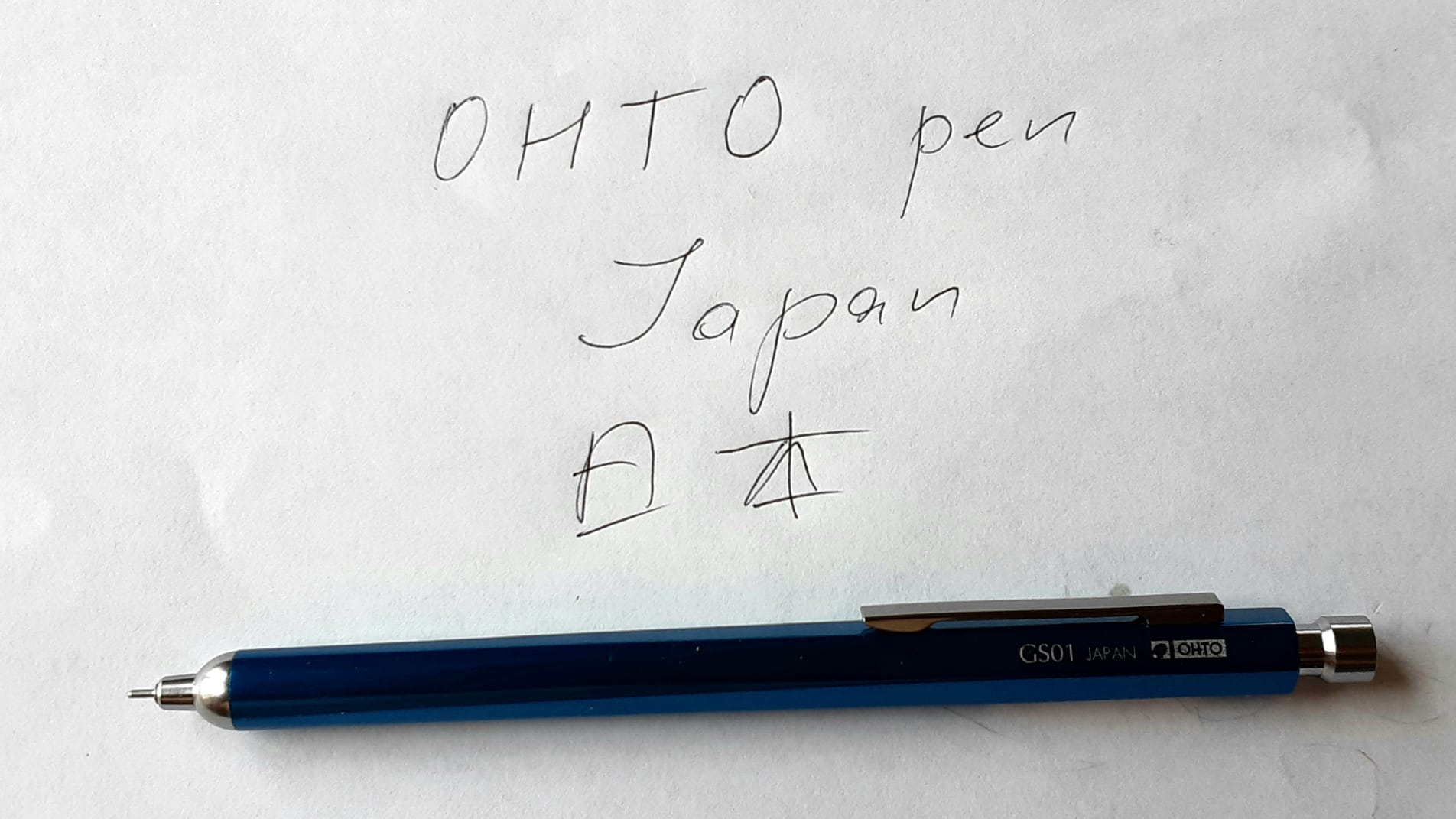
Recently, I’ve been looking for a new comfortable pen and a quick search brought to my attention an interesting and peculiar pen from Japan. It was OHTO GS01-S7 ballpoint pen with an aluminum body and having an oil-based black color ink. What is interesting about this pen is that its body comes in a number of colors, while the ink is always black. This pen feels nice to hold and it looks good. Functionally it resembles Parke Jotter pen, but it looks more engineered, in my opinion, and it feels more comfortable than Jotter. Maybe, it’s due to the fact the OHTO pen is longer than Jotter and has a hexagonal cross-section.
OHTO GS01-S7 with 0.7 mm refill
One unexpected feature of OHTO GS01-S7 is that you can swap its original refill with the Parker Jotter one and visa versa. I’ve found about this while watching a review of the OHTO pen by a Japanese youtuber.
Parker Jotter and OHTO GS01-S7 disassembled, side by side
I very much value quality pens, since they have this surprising capability in them. Especially, since OHTO pen only comes with black refills. So if you want to have a blue ink then you can use Parker’s original blue ink with OHTO pen! Isn’t it nice?
OHTO pen with Parker refill
Also, as I mentioned, you can put OHTO GS01-S7 0.5 or 0.7 mm refill in Parker Jotter if you fancy to. Which can be an interesting twist to do.
Parke Jotter pen with OHTO refill
All in all, OHTO GS01-S7 is a solid pen that have a nice looks and feel. It’s delivering smooth writing experience and is satisfying to click, just like a pop it toy. If you’re look for something new and creative, then this pen is for you.
As you probably have heard by this time ChatGPT a machine learning based chatbot created by OpenAI is very famous. It is based on Generative Pretrained Transformer model, hence, GPT in short. It’s quite successful in various tasks ranging from text summarization, essays generation to questions answering. But did you know that it can also generate working code in various programming languages? If you didn’t then this post will provide you with some ideas to try.
Task at hand
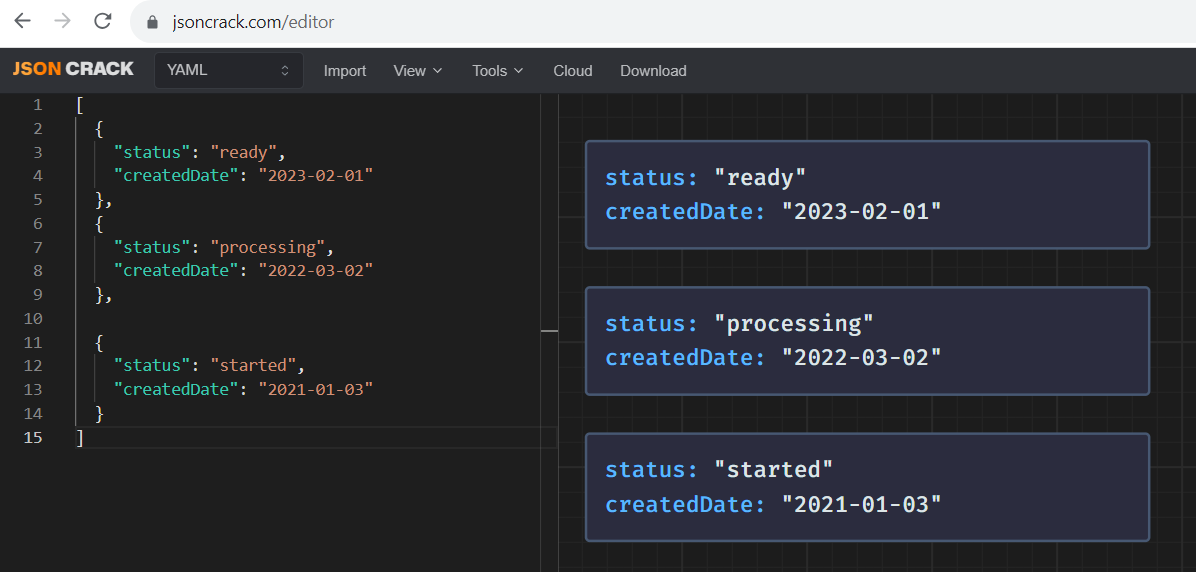
I am a Java developer and recently at work I need to solve a certain task. The task was to sort a list of objects where each object in the list had a date time field. Date time field may look like this: 2023-09-17 20:01:02.23.
For example, in the JSON Crack online tool below you can see how such a list of objects can look like
This task seems quite straightforward when the field is of a Java Date type, but in this case the field was of type String. It means that sorting the objects by this field won’t be correct since the objects will be sorted alphabetically instead of based on date and time. A solution is to convert the String data time field into proper Date type and then to sort the objects.
To summarize what needs to be done is as follows
Iterate over the list of objects and compare objects createdDate field by first converting it from String type to Date type.
Using Java Stream API approach
Java 8 version introduced a powerful Streams API that allows processing of collections in a functional way. For example, it is possible to filter, apply mapping or sorting to a collection in a single line of code using a declarative syntax somewhat similar to SQL. So, accomplishing the task of sorting a list of objects that have a createdDate field of Date type is quite simple and if you google how to do it you’ll find a number of solutions.
For example, this is how it can be done based on the Stack Overflow answer.
The issue was that I wasn’t quite able to find a solution that exactly would solve the issue I had, even though I searched a lot. Then I had an idea. When I played with ChatGPT at OpenAI’s website I also played with code that ChatGPT generated for various languages. So, I went to Microsoft Edge browser and opened Bing Chatbot, powered by GPT-4, and wrote the following
and this is the solution that the Bing chatbot provided
Certainly! Here’s an example of a Java code snippet that sorts a list of objects while converting a string field to date type:
import java.text.ParseException;
import java.text.SimpleDateFormat;
import java.util.ArrayList;
import java.util.Collections;
import java.util.Comparator;
import java.util.Date;
import java.util.List;

public class Main {
    public static void main(String[] args) {
        List<YourObject> yourList = new ArrayList<>();
        // Add objects to yourList

        // Sort the list based on the string field "dateString"
        Collections.sort(yourList, new Comparator<YourObject>() {
            @Override
            public int compare(YourObject o1, YourObject o2) {
                SimpleDateFormat dateFormat = new SimpleDateFormat("yyyy-MM-dd");
                try {
                    Date date1 = dateFormat.parse(o1.getDateString());
                    Date date2 = dateFormat.parse(o2.getDateString());
                    return date1.compareTo(date2);
                } catch (ParseException e) {
                    e.printStackTrace();
                }
                return 0;
            }
        });

        // Print the sorted list
        for (YourObject obj : yourList) {
            System.out.println(obj);
        }
    }
}

class YourObject {
    private String dateString;

    public String getDateString() {
        return dateString;
    }

    public void setDateString(String dateString) {
        this.dateString = dateString;
    }

    // Add other fields and methods as needed
}
In this example, we have a list of objects of type YourObject that contains a string field called dateString. We want to sort the list based on this field, treating it as a date.
To achieve this, we use the Collections.sort() method and provide a custom Comparator implementation. Inside the compare() method, we parse the dateString of each object into a Date object using a SimpleDateFormat. We then compare the two dates using the compareTo() method and return the result.
Please note that you need to replace YourObject with the actual class name and modify the code according to your specific requirements.
Let me know if you need any further assistance!
If you try the example above in a Java online compiler you’ll see that it works right away. Isn’t it amazing? The only issue that I wanted to have this solution using Java Stream API, so I rephrased what I wanted to get.
Certainly! Here’s an example of a Java code snippet that sorts a list of objects while converting a string field to date type using the Java Stream API:
import java.text.ParseException;
import java.text.SimpleDateFormat;
import java.util.ArrayList;
import java.util.Comparator;
import java.util.Date;
import java.util.List;

public class Main {
    public static void main(String[] args) {
        List<YourObject> yourList = new ArrayList<>();
        // Add objects to yourList

        // Sort the list based on the string field "dateString" using Java Stream API
        yourList.sort(Comparator.comparing(obj -> {
            SimpleDateFormat dateFormat = new SimpleDateFormat("yyyy-MM-dd");
            try {
                Date date = dateFormat.parse(obj.getDateString());
                return date;
            } catch (ParseException e) {
                e.printStackTrace();
            }
            return null;
        }));

        // Print the sorted list
        yourList.forEach(System.out::println);
    }
}

class YourObject {
    private String dateString;

    public String getDateString() {
        return dateString;
    }

    public void setDateString(String dateString) {
        this.dateString = dateString;
    }

    // Add other fields and methods as needed
}
In this example, we have a list of objects of type YourObject that contains a string field called dateString. We want to sort the list based on this field, treating it as a date.
To achieve this using the Java Stream API, we use the sort() method of the List interface and provide a lambda expression as the comparator. Inside the lambda expression, we parse the dateString of each object into a Date object using a SimpleDateFormat. We then return the parsed date for comparison.
Please note that you need to replace YourObject with the actual class name and modify the code according to your specific requirements.
Let me know if you need any further assistance!
Testing the generated code almost as is in an online Java compiler
Well, that last answer was what I needed. We can take it and check that it can run almost as is in an online Java compiler. I made a couple of small adjustments in the generated code:
I instantiated three objects with dateString populated.
I added these objects to a list and
I adjusted println function to print the dateString field, instead of the object itself.
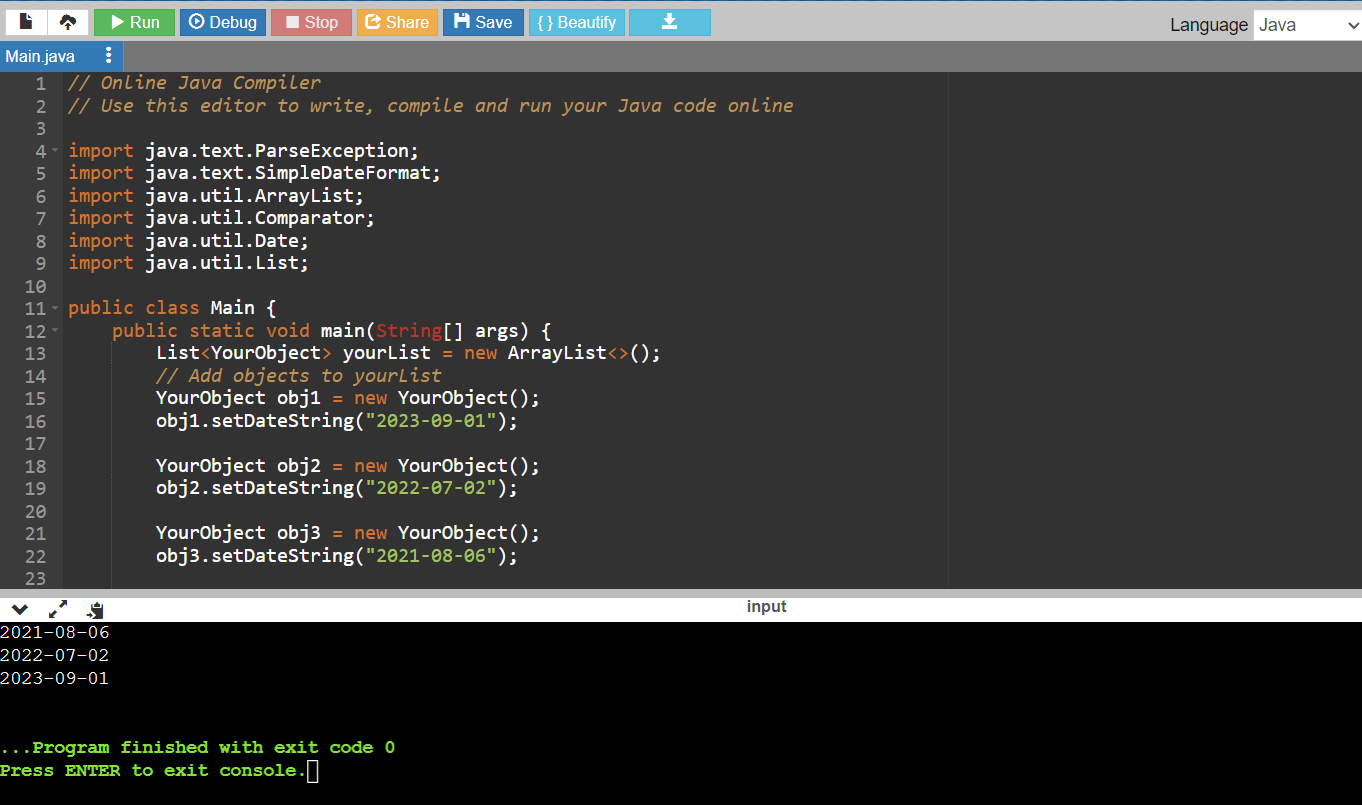
This is how it looked after running
Below come a full source code if you need it
// Online Java Compiler
// Use this editor to write, compile and run your Java code online

import java.text.ParseException;
import java.text.SimpleDateFormat;
import java.util.ArrayList;
import java.util.Comparator;
import java.util.Date;
import java.util.List;

public class Main {
    public static void main(String[] args) {
        List<YourObject> yourList = new ArrayList<>();
        // Add objects to yourList
        YourObject obj1 = new YourObject();
        obj1.setDateString("2023-09-01");

        YourObject obj2 = new YourObject();
        obj2.setDateString("2022-07-02");

        YourObject obj3 = new YourObject();
        obj3.setDateString("2021-08-06");

        yourList.add(obj1);
        yourList.add(obj2);
        yourList.add(obj3);

        // Sort the list based on the string field "dateString" using Java Stream API
        yourList.sort(Comparator.comparing(obj -> {
            SimpleDateFormat dateFormat = new SimpleDateFormat("yyyy-MM-dd");
            try {
                Date date = dateFormat.parse(obj.getDateString());
                return date;
            } catch (ParseException e) {
                e.printStackTrace();
            }
            return null;
        }));

        // Print the sorted list
        yourList.forEach((obj -> System.out.println(obj.getDateString())));
    }
}

class YourObject {
    private String dateString;

    public String getDateString() {
        return dateString;
    }

    public void setDateString(String dateString) {
        this.dateString = dateString;
    }


    // Add other fields and methods as needed
}
Blowing your socks off
So there you have it. If you are trying to find a solution for a coding issue you face and you don’t find a good example at Stack Overflow or elsewhere, try using GPT-4 based chatbot, for example, Bing and see how it goes. You can be amazed.
Recently, I went to BASICs and I found it fascinating. It is much more interesting programming paradigm then compiled languages development as C like languages since you can program in BASIC interpreter and in assembly at once and get feedback instantly. Also, 6502 CPU is quite easy to understand and memory mapping of the 6502 is also straightforward and interesting to play with.
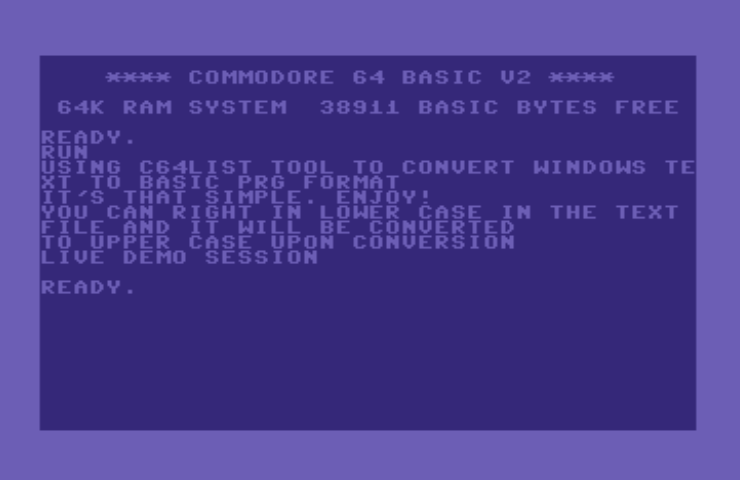
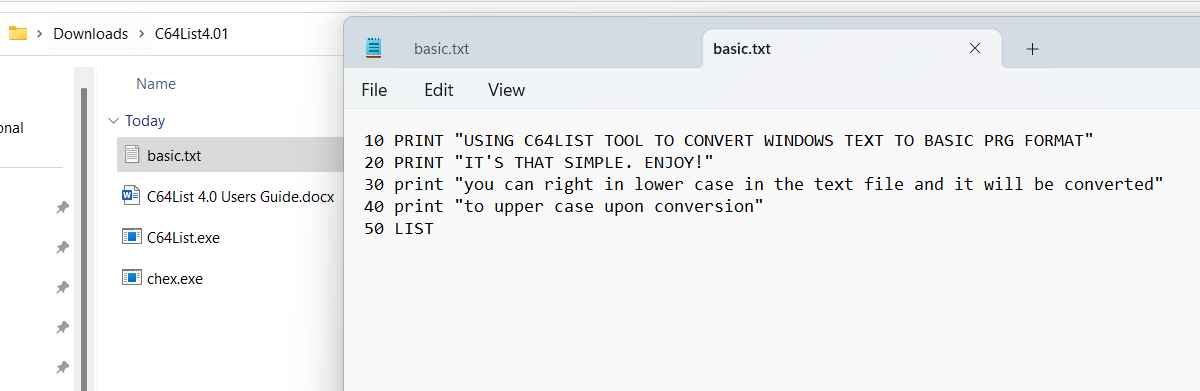
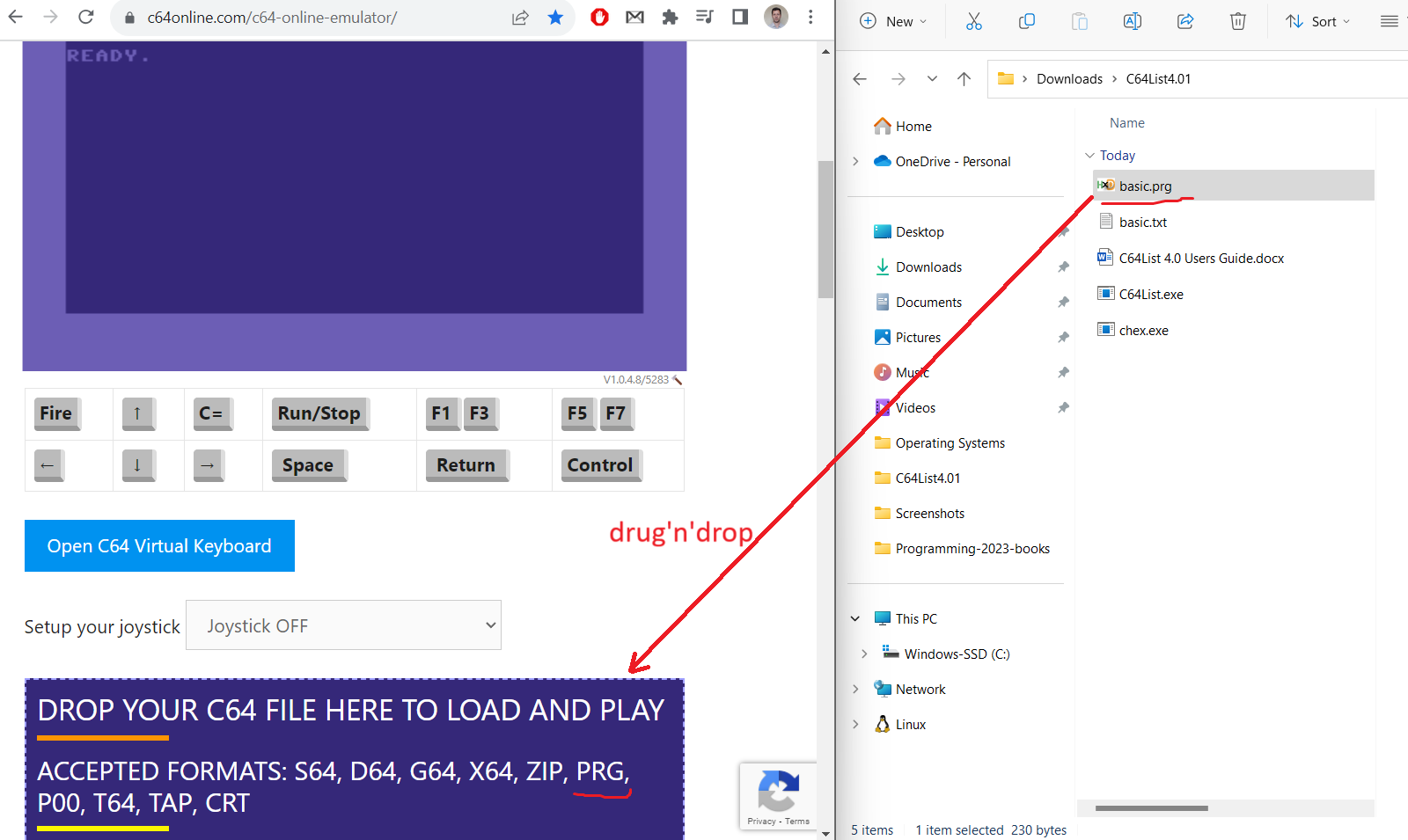
The only issue is that I find it tedious to type the code in the Commodore 64 emulator directly. But there is a solution, it is possible to import files in D64, RPG and other formats that the emulator supports. It means that you can write BASIC or assembly code in your favorite editor and then import it.
How can you do it?
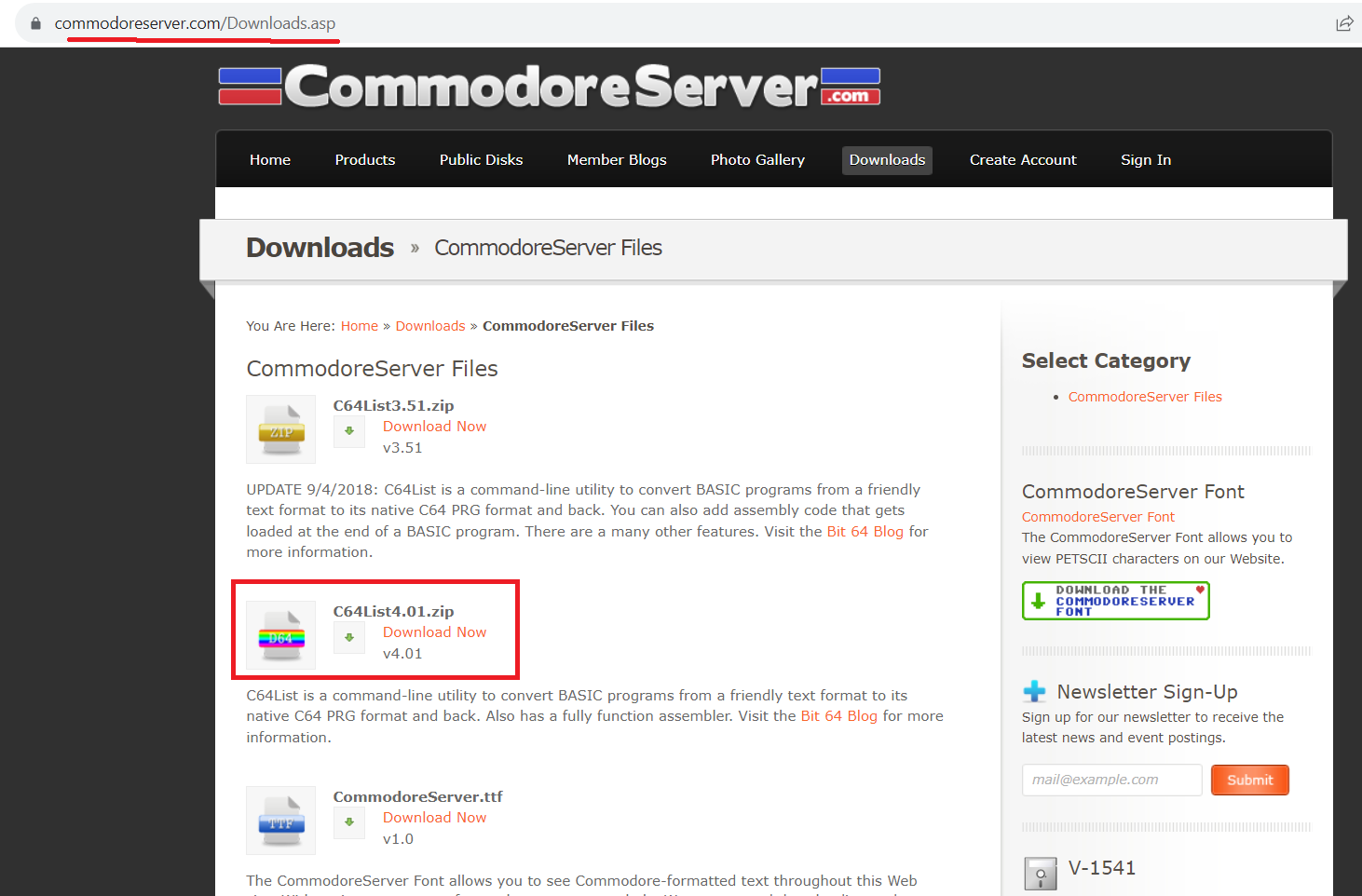
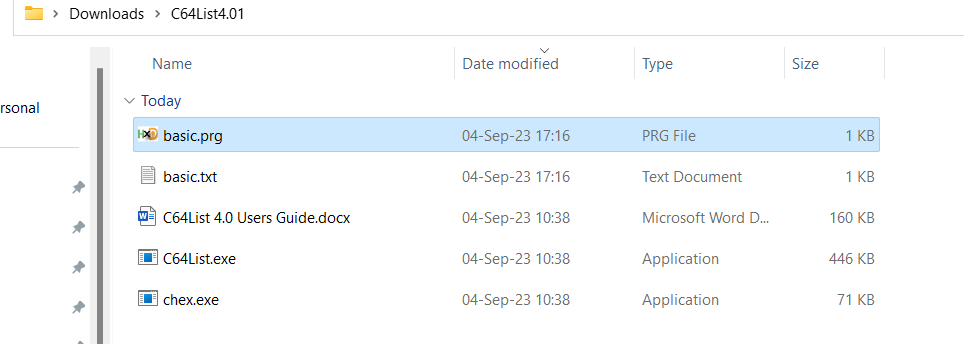
To be able to do this it there is a need to convert the text file to a format that is supported by Commodore 64. If you search you’ll be able to find a number of tools that people wrote to do just that. Since I have a PC with Windows 11 so I am using a Windows based tool. This tool is called C64List and it comes in handy to be able to convert BASIC files into text files and vice versa.
Prerequisites
Operating System: Windows
Download and extract C64List tool
(Optional) Review supporting documentation file with a very detailed and helpful
This story begins around 1988-89 when I first saw ZX Spectrum clone based on Zilog Z80 microprocessor. It had Sinclair BASIC and ran off the cassette recorder. This first computer was responsible for the interest in computers that I have ever since.
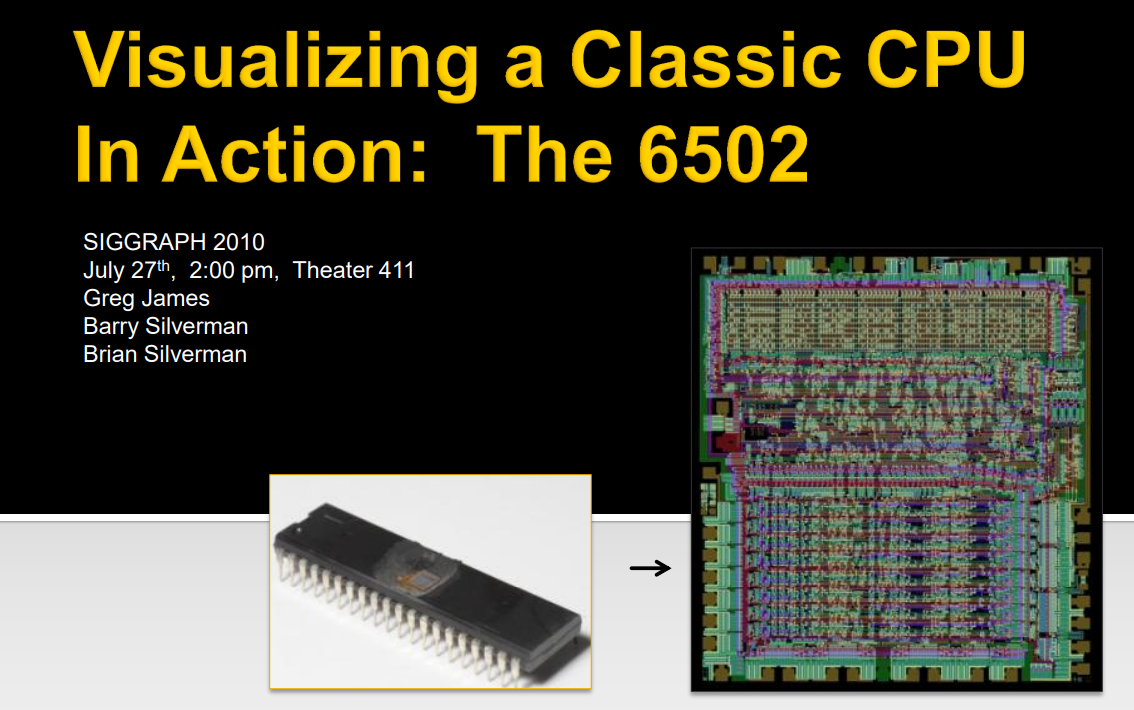
Fast-forward to nowadays, I continue to be interested in how hardware and software work and watched quite a few reverse engineering videos on YouTube, like Apollo Guidance Computer restoration series on CuriousMarc channel and others. Due to this YT algorithm suggests me similar videos. A couples of days ago it suggested me to watch the 27c3: Reverse Engineering the MOS 6502 CPU video about how 6502 CPU was reverse engineered by peeling layers from the chip, taking photographs and then reconstructing actual transistors from the photos. The talk was given by Michael Steil who extensively contributed to documenting everything there is about MOS 6502 CPU and various types of BASIC it ran. The people who reversed engineered the MOS 6502, Greg James, Brian and Barry Silverman also wrote a JavaScript visualization of the inner workings of the 6502 as it chugs alone.
It turns out that Michael Steil implemented a C based simulation of the MOS 6502 and hooked it up to the Commodore BASIC emulator to see how it worked. And it worked indeed!
In the rest of the post I’ll explain how to run that perfect MOS 6502 CPU simulation that runs Commodore 64 BASIC V2 emulator in WSL2 Ubuntu. So hold on.
Prerequisites
Interest in this topic 🙂
Operating System: Linux or Windows 10 with Windows Subsystem For Linux 2 (WSL2)
Source control software: git (should come preinstalled on WSL) to be able to check out the implementation of the 6502 CPU and BASIC
make tool installed
C compiler like, gcc installed
What to expect?
First I’ll explain how to install WSL2 if you don’t have one.
Then I’ll explain who to clone locally the repository that contains MOS 6502 and BASIC simulators.
Then we’ll build them and run them locally.
I’ll provide references to good resources on the subject.
Let’s begin
Install WSL and Ubuntu
As I mentioned Michael’s implementation requires a Linux distribution to run. So if you have Windows as I do then there is a need to install Windows Subsystem For Linux (aka WSL) to be able to run Ubuntu natively on Windows. The whole installation process is easy and takes a couple of minutes. To know how to do it just follow one of the tutorials below
After this we can build the project using Linux make tool. But since it’s not installed on Ubuntu WSL we need to install it first.
Also, make tool requires C compiler in order to compile the code. So we need to install one of the available C compilers for Linux. We’ll use gcc compiler.
Install make, by running the command below.
sudo apt install make
Next, let’s install gcc compiler. If you’ll be asked Do you want to continue? type Y.
sudo apt install gcc
Now that both of the tools are installed let’s run make command
make
What you’ll see that there will be an error and it has to do with the source code that we cloned
amc@MINE-LAPTOP-130JJTQ6:~/perfect6502$ make
cc -Werror -Wall -O3   -c -o perfect6502.o perfect6502.c
cc -Werror -Wall -O3   -c -o netlist_sim.o netlist_sim.c
netlist_sim.c: In function ‘getGroupValue’:
netlist_sim.c:390:1: error: control reaches end of non-void function [-Werror=return-type]
To fix this issue there is a need to apply Pull Request (PR) one of the users submitted.
To do this run this command
git fetch origin pull/10/head:pr_number10
You’d think that’s it. But you are wrong and there is a need to update Makefile to be able to build the project. To do this we need to comment out the line below in the file
OBJS+=measure.o
Commenting out is done using ‘#’ character as a first one in the line.
I am using vi editor to do this. On WSL it is possible to edit this file even in notepad.
Update Makefile using Windows notepad
When you are in the perfect6502 directory type
explorer.exe .
You should see Windows File Explorer opens
Now, you can select open with notepad and comment out that line in notepad.
Okay, now we are good to run make
amc@MINE-LAPTOP-130JJTQ6:~/perfect6502$ make
cc -Werror -Wall -O3   -c -o perfect6502.o perfect6502.c
cc -Werror -Wall -O3   -c -o netlist_sim.o netlist_sim.c
cc -Werror -Wall -O3   -c -o cbmbasic/cbmbasic.o cbmbasic/cbmbasic.c
cc -Werror -Wall -O3   -c -o cbmbasic/runtime.o cbmbasic/runtime.c
cc -Werror -Wall -O3   -c -o cbmbasic/runtime_init.o cbmbasic/runtime_init.c
cc -Werror -Wall -O3   -c -o cbmbasic/plugin.o cbmbasic/plugin.c
cc -Werror -Wall -O3   -c -o cbmbasic/console.o cbmbasic/console.c
cc -Werror -Wall -O3   -c -o cbmbasic/emu.o cbmbasic/emu.c
cc -o cbmbasic/cbmbasic perfect6502.o netlist_sim.o cbmbasic/cbmbasic.o cbmbasic/runtime.o cbmbasic/runtime_init.o cbmbasic/plugin.o cbmbasic/console.o cbmbasic/emu.o
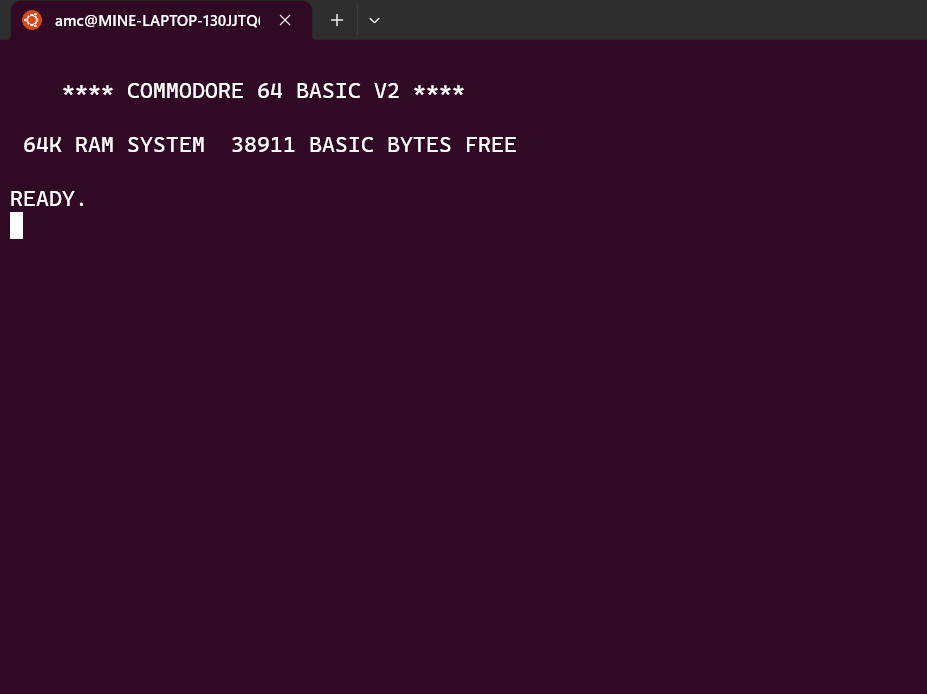
If you saw similar output then there were no errors and we can finally run the Commodore 64 BASIC emulator on MOS 6502 CPU simulator.
cbmbasic/cbmbasic
And hooray you should see the screen below
What can you do now?
Well, the sky is the limit. Pay attention that since the MOS 6502 simulator simulates real transistors it’s quite slow. Also, there are still some bugs in the Commodore BASIC emulator so not all commands will work as expected. But most will do.
For example, below comes “Hello, world!” program that will print this sentence, and then concatenate two words in one string and print it out.
Pay attention, that BASIC requires upper case for all commands.
Clear screen
PRINT CHR$(147)
Clean memory
NEW
Reset computer (hence emulator)
SYS 64738
List your program so far
LIST
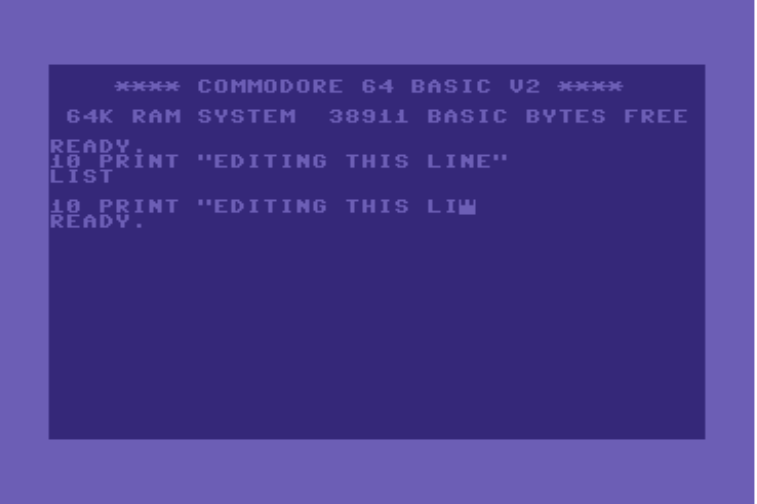
To update particular line there is a need to retype it in this emulator, while in other emulators you can edit them. As you can see on the C64 online emulator
SUMMARY
Well, there you have it you can use your locally running BASIC with pretty good functionality or you can switch to that C64 online emulator which is faster and supports all of the commands.
JSON Web Token (JWT) are used in the network communication to pass information between parties. In particular they used to communicate with Identity Providers to exchange signed JWT also known as JWS for authorization tokens and then access tokens.
If it sounds confusing at first it is. And then there are more acronyms like JWA, JWKS etc. But don’t be frustrated. There are a couple of resources that can make you life easier as a developer.
I’ll focus in this post on Java language, but the information mention here is applicable to other languages too. You simply need to search for particular tools in that language or framework.
What is an encoded JWT?
If you need to be able to decode encoded JWT, than there is no other source then Auth0 web site to do just that
There you can decode a JWT or JWS to check that is has proper structure and content. Which is very helpful when you iterate to integrate with Identity Provider API.
I need to understand this in depth
The best source to learn about the JWT and the like is the The JWT Handbook by Sebastián E. Peyrott from Auth0 company. You also can download it for free, by providing them with your email and filling in a basic form here. This book provides very detailed explanation about JSON Web Token with lots of practical examples. Some of them we’ll use next.
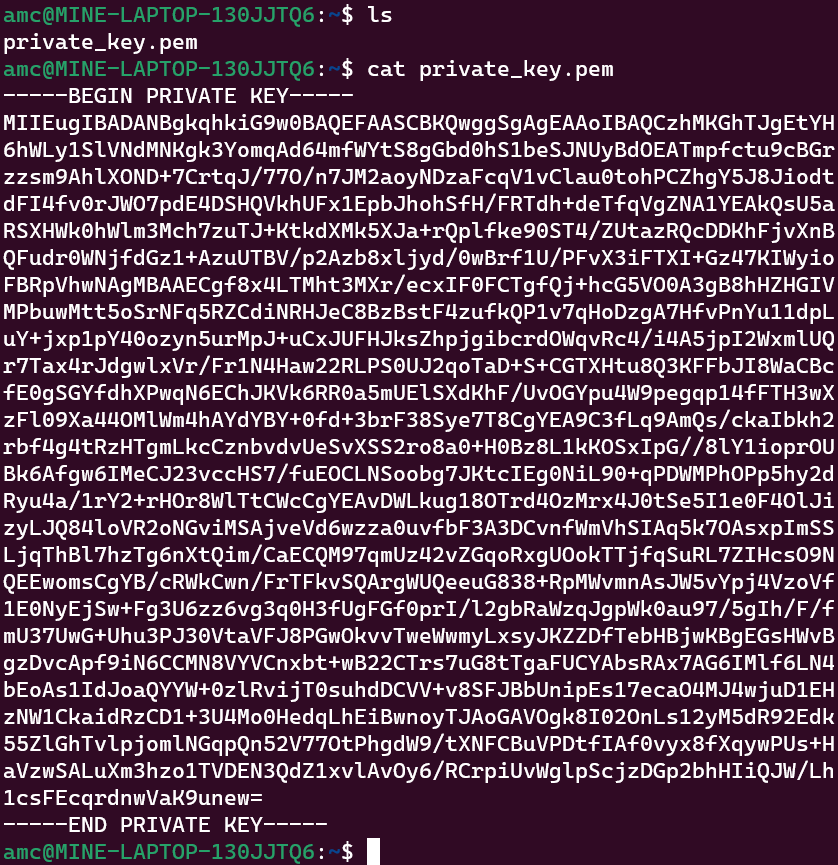
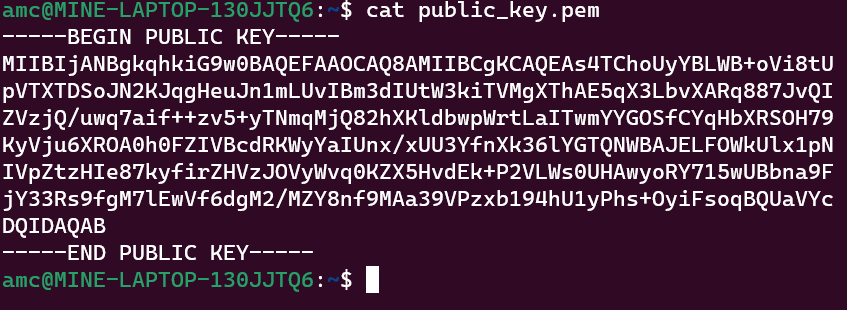
How to generate private and public keys to be able to get a JSON Web Key (JWK)?
The JWT Handbook comes in handy since on the page 39 it exactly shows how to do it using RSA256 algorithm and Linux tools. In this case it is OpenSSL library. Since Windows does not have such a tool out of the box I suggest you to check Windows Subsystem for Linux 2 (WSL 2) that you can install on Windows 10 and higher within minutes (literally) and get Ubuntu, CentOS and other distributions running natively on Windows! Here come two guides on how to do it.
amc@MINE-LAPTOP-130JJTQ6:~$ ls
private_key.pem  public_key.pem
Generating JWK
The steps below rely on the the tutorial about how to use Nimbus JOSE + JWT open-source library from connect2id company.
Now that you have these keys let’s say you already was able to read them in you Java code from a file so let’s jump into how you can covert them into JWK
import java.security.*;
import java.security.interfaces.*;
import java.util.*;

import com.nimbusds.jose.jwk.*;
import com.nimbusds.jose.jwk.gen.*;

// Public and private keys from a file. The method calls below are for example only
PublicKey publicK = getPublicKeyFromFile(path);
PrivateKey privateK = getPriavetKeyFromFile(path);

// Convert to JWK format
JWK jwk = new RSAKey.Builder((RSAPublicKey)publicK)
    .privateKey((RSAPrivateKey)privateK)
    .keyUse(KeyUse.SIGNATURE)
    .keyID(UUID.randomUUID().toString())
    .issueTime(new Date())
    .build();

// Output the private and public RSA JWK parameters
System.out.println(jwk);
If you fast without knowing how it works then you probably are doing the infamous 16 hours long fast (aka 16:8).
Moreover, if you fast 16:8, but haven’t changed what you eat then it’s almost certainly that you won’t lose much weight.
The are a couple of issues with this mechanistic approach to fasting.
Without knowing how it works you do not have a true motivation to succeed, and you don’t know what to tweak to influence your progress.
But the main issue has to do with the food you eat.
First, let’s look at some physiological facts.
1. When you eat sugar, starchy food, drink sugary drinks, generally eating processed food the carbohydrates in it are stored in the body as glycogen.
On average body stores about 600 grams of it, mostly in muscles (~80 %) and the rest in the liver.
2. On average adult requires about 2500 calories (kcal) a day.
Now, let’s do some calculation:
1. How much calories our body needs an hour: 2500 cal / 24 hours ~ 105 cal an hour.
2. Since glycogen is a carb and 1 gram of carb contains 4 calories of energy, then how much energy is stored in the glycogen in the body?
600 grams * 4 cal = 2400 cal!
3. To burn this energy you need 2400 cal / 100 cal an hour = 24 hours
Do you see what’s going on here? It means that to be able to burn all the stored glycogen in the body you need about 24 hours!
It means that doing 16 hours long fast won’t cause your body to switch to burning fat at all within that time frame.
Now, let’s understand why it’s important to change what you eat
As, soon as you stop eating sugar, drink sugary drinks and stop eating bakery, pasta etc. Insulin hormone level will go down in your body which will signal to your body to switch to use fat as an energy source.
But before this can happen you body will first use glycogen stored in muscle and the liver.
As we said, at most it can store 600 grams, but if you changed what you eat this amount would be much smaller, let’s say 300 grams.
It means 300 gram * 4 calories = 1200 calories. And if you burn 100 calories an hour, it means that you need only about 12 hours of fasting for your body to switch to fat burning mode.
Now there you have it
Doing blindly 16 hours long fast possibly won’t help you lose much fat if you continue to eat sugar and starch containing food.
When you understand how fasting works you know what you are doing and can influence the process and the progress you make.
And lastly, on average 18 hours long fast is the least amount that can cause your body to switch to fat burning mode. It’s better to go for 19, 20 hours a day.























 ScienceAppliedForGood